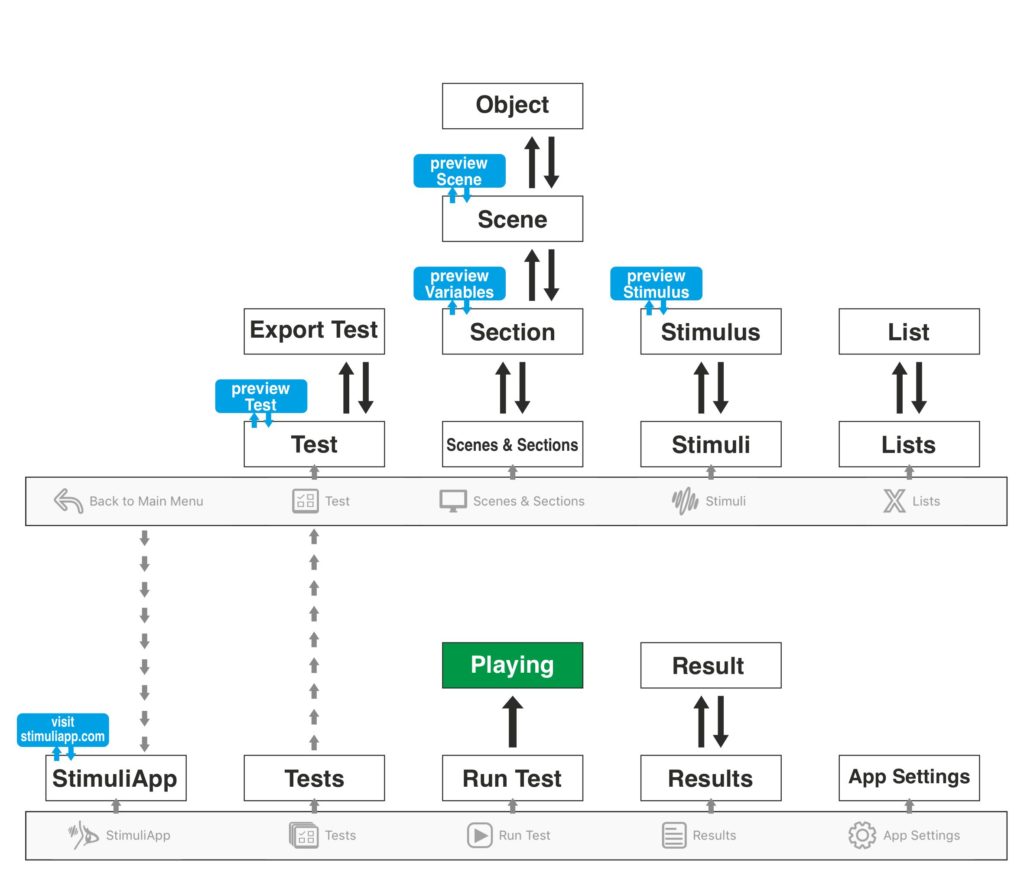
When you launch StimuliApp a navigation bar appears at the bottom of the screen with the following buttons:
- StimuliApp: Opens the main menu.
- Tests: Opens the menu to create, edit, or delete tests.
- Run Test: Runs an existing test.
- Results: Displays the results of all performed tests.
- App Settings: Provides access to device settings and information.
When you start editing a test, the navigation bar changes to include:
- Back to Main: Returns to the previous navigation bar.
- Test: Opens the general properties of the test.
- Scenes & Sections: Manages the structure of the test. Each test is divided into sections, and each section contains one or more scenes. Scenes include objects, which are built using stimulus templates. These objects can be linked to lists of values if their properties need to change across trials.
- Stimuli: Creates and edits stimulus templates that can be reused across scenes within the test.
- Lists: Creates lists of numeric values, vectors, images, videos, audio files, text, or blocks.